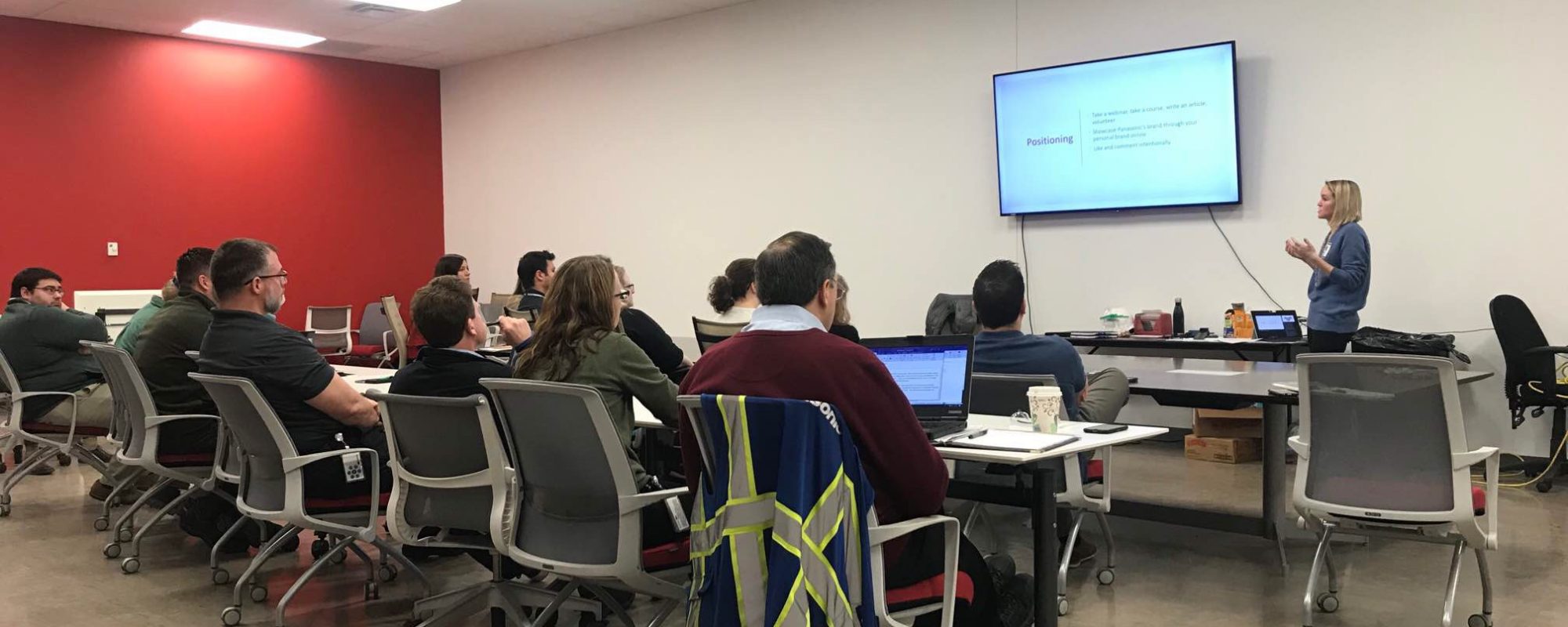
As you all know, I love LinkedIn. (: If you’ve ever heard me present, I share my brief story of creating my profile in 2012 and how it sat as a static online resume until 2017. In 2017 once I optimized my profile and started connecting, posting and engaging intentionally, my career sky rocketed! In January of 2018 I was invited to a huge HR industry conference for free due to my online activity – an opportunity I dreamed of until that point! I met so many amazing HR professionals from all over the world whose presentations, connection and insights have continued to fuel my career and help me attract opportunities to this day.
Helping people use LinkedIn to position themselves for the opportunity they want next and attract opportunities to themselves is my FAVORITE thing! (I offer this as part of my coaching services if you’re interested!) Speaking from experience, 4 out of the past 5 roles I’ve held were due to someone in my network reaching out to me. Even though we didn’t see or speak to each other often, they always knew what I was up to, passionate about and good at through my LinkedIn activity. Keeping your profile active helps your network think of you when they have opportunities to share. Yes I still had to go through the consideration process and interview well, but in some cases, I’ve had roles created for me because of my skills, strengths, and personal brand. Your personal brand is one of the only things in this world you have full control over and honestly, the time spent on it has been worthwhile and FUN! I wouldn’t have been able to connect with so many wonderful people on LinkedIn without putting myself out there.
So let’s use LinkedIn to our advantage in 2026! Now is a great time to ditch the doom scrolling and connect, post and engage intentionally to grow your network, learn, and attract opportunities to yourself. I’ll share a few of my favorite tips to keep in mind.
Ditch the Doom Scrolling
Truly I think we all want to ditch doom scrolling no matter what the social media platform is, but especially for LinkedIn – doom scrolling does nothing to help you attract opportunities to yourself. If anything, it’ll give you more and more conflicting information to keep ruminating over rather than taking action. Think of LinkedIn as social media for career advancement. If all you do is scroll, the algorithm doesn’t learn and can’t be as helpful to you! Next time you find yourself scrolling – please give LinkedIn some feedback to help make your morning feed scroll a better use of your time.
- If you see a post that doesn’t interest you, click the “…” in the top right of the post and then click “not interested.”
- Like or comment on the posts that do interest you – whether it’s the type of content, or a person you want to see more of in your feed.
You’ll notice in the coming weeks that your feed will improve and be more personalized and useful to you because you’ve given it feedback.
Speaking of the person you want to see more of in your feed…
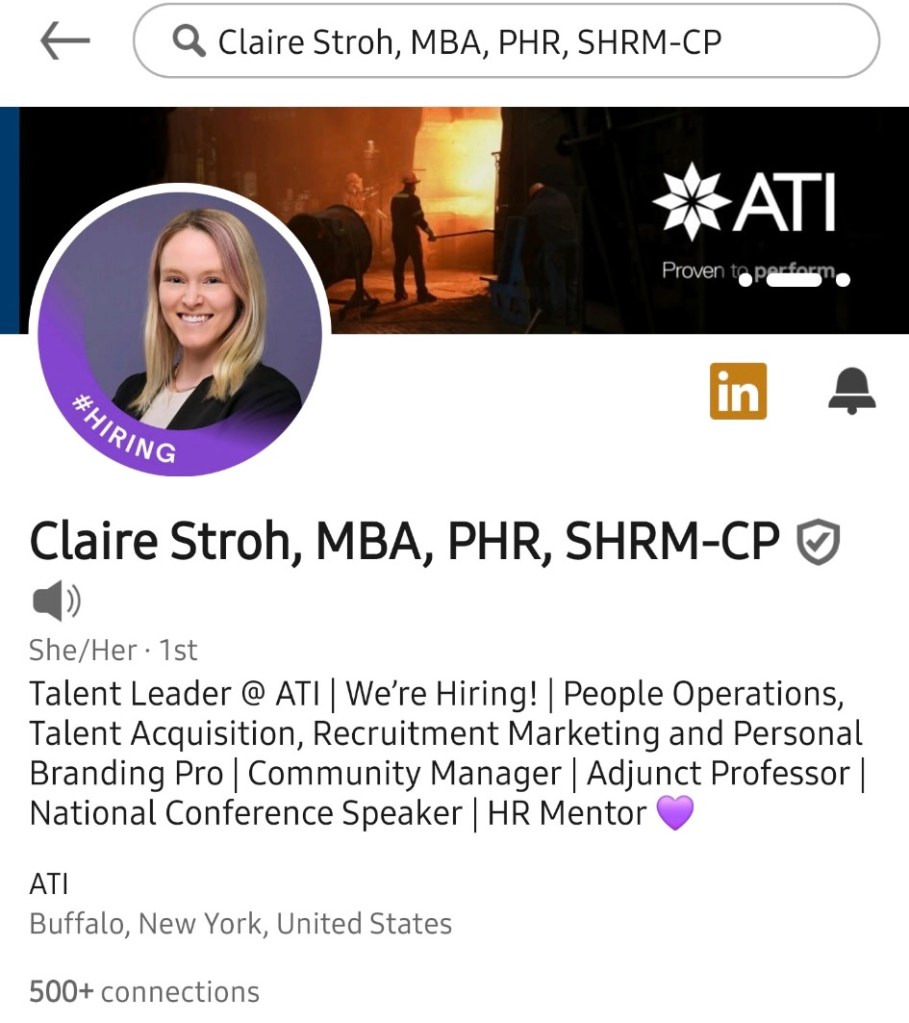
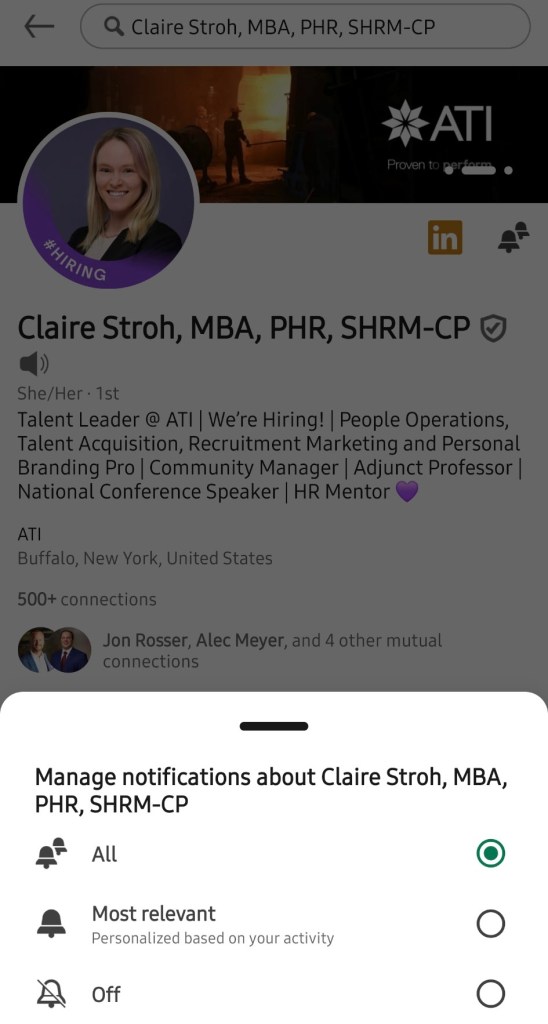
If you want to ensure you’re seeing posts from your favorite people, you can turn on notifications for them. Navigate to their profile and click the bell. You can then click “All” to be notified each time they post. I post once every couple of weeks (2 times a week max if there happens to be multiple fun events or updates to share!) so I promise if you turn on notifications from me, you won’t be bombarded. (: But how cool that you can get a notification in real time when one of your favorite people posts – so you’re always up to date on their helpful information AND can be one of the first to like and comment! (Commenting is a great way to kick off conversation, plus then all of the poster’s connections can see you – your profile, personality and voice!)
Optimize Your Profile
If you’ve been connecting, posting, commenting etc and your profile isn’t fully filled out – PAUSE! Once you’re actually using LinkedIn to connect, post, etc your profile views will go up and you’ll get more connection requests since you’re attracting more eyes to your profile. You want those eyes to see all of the great information about you that you’ve chosen to share with them! Think about this again through the lens of attracting opportunities to yourself. Does your profile About section talk about your skills and strengths? Accomplishments you’re most proud of? What people can/should contact you for? Does your Headline give an overview of your value proposition and what people can expect to learn more about as they scroll down on your profile? Do you have descriptions for all of your experience sections that show case impact and results, not just tasks?
It’s a new year y’all! Now is a great time to freshen up that profile content. Here on my blog I have an overview of important LinkedIn profile sections and how to get started with them. Please book a session with me if you want to work on this together in real time and get your profile filled out and representing you well!
Posting
LinkedIn created a posting guide for its members which is super helpful! This guide gives the elements of a great post and shares some videos and inspiration from top creators on the platform. I wanted to share top posting tips from my personal experience as someone who gets consistently high engagement on posts from my network and has attracted opportunities from my posts.
- As I mentioned, I post at most twice a week. This has worked well for me because posting too often means the last post you just shared quickly gets buried by something new. I let one post get engagement with my network for at least a few days before posting another one. This keeps all of the attention on that post and I have my network’s attention on that specific event or topic. I also focus my time on responding to those who liked or commented on the post, rather than stretching myself thin checking multiple posts at once.
- Posting is THE WAY on LinkedIn for your connections (and their connections!) to get to know you and your unique experience, personality and voice. Your profile can read very similar to your resume, but your posts are really what makes LinkedIn a social media platform and an opportunity to reach others. As people get to know you through your posts, they’re more likely to send quality opportunities your way, referrals, etc.
- My favorite post examples to get started with are sharing article/blog links, industry related news, what’s going on at work, what you’re up to in your community, or events you’re attending/have attended. With any of these topics – remember you are posting to help your network get to know your personality and voice, and attract opportunities to yourself. With every post, you are building your personal brand. LinkedIn is social media for career advancement. Put everything you’re about to post through that filter and ask yourself if posting this is going to help me achieve my goals, make better connections and advance my career. You have full control over your personal brand through your communication and behavior.
- You can always view my profile for post examples! Head to my activity section to check them out. Posts live on your profile forever, and you can even “Feature” them on your profile which pins them to the top.
Using LinkedIn to Job Search
For starters, I wanted to share my blog post on surrounding your job search with positive energy this year. I wrote this in January of 2023, but all of the tips are helpful and accurate to this day.
My newsfeed right now is FILLED with post after post of people stating that they are searching for new opportunities. I know it’s a competitive market out there – I’m a recruiter and get hundreds of applicants for every open role I have posted.
I’ve talked to a few of my connections recently who are job searching and through our conversations we’ve realized that they’re doing a lot of posting, but not a lot of posting intentionally. And they are also spending more time on posting than they are on connecting and commenting. Connect, post and engage (comment primarily) intentionally is the magic trifecta. All 3 work together. (:
What I mean by not posting intentionally – is that post after post is them sharing they are looking for work. Stating they can start ASAP, they are a hard worker, etc. but the post doesn’t show case anything about their skills, experience, personality or voice. Now, it is important to let your network know what you’re looking for so that they can keep you in mind, but I do encourage you to mix in other types of posts (like I mentioned above) with your posts about looking for work. These intentional posts about the type of work you do, your outlook/approach to your work, a special project you’ve done, a professional development event you attended, a podcast you liked and what you learned from it, what your special skills/strengths/accomplishments etc are what will differentiate you and help you attract your next opportunity. This will differentiate you from every other person right now posting similarly that they are looking for work.
Connecting and commenting intentionally is just as important. I encourage you for every 1 post you share – find 3-5 new people to send thoughtful connection request notes to on LinkedIn. If you are active in a job search, I highly recommend getting LinkedIn Premium so you can send a connection request note with every single connection request, tailored to that person. You will also have 300 characters for your connection requests with Premium rather than 200. This was something else I saw when speaking to my connections – they were sharing post after post into the same void. I get it, it’s easier to throw a post out there to everyone than to do the intentional work of researching/searching for people and sending a tailored connection request note to each of them. Think about who might be the next person who’s hiring you – what types of companies or what company exactly do they work at? Are there other HR leaders (there always are!) that you can connect with, learn from and engage with their posts? (Remember when you leave a thoughtful comment on someone’s post, all of their connections can see you!) Reach out to your existing trusted network and ask if they have a recommendation for someone new you could connect with. I always have recommendations when people reach out and ask! (:
Help Others and Help Yourself
One of my favorite blog posts I’ve written: Help Others and Help Yourself. Anytime I’m feeling stuck, I take an action to – help someone else, share something I’ve learned, or reach out to someone. Putting this energy out into the universe to others has always come back to me in a positive way! Plus, we all need a break from job searching and LinkedIn. Focusing on doing something you love, meeting people and helping others will always end up rewarding you in your quest for what’s next, plus it just feels good!
I hope this was helpful. If I can help you further with using LinkedIn or job searching this year, please book a call through my Services page or contact me through the Contact me page. Cheers to a great year ahead using LinkedIn to connect, grow, learn, attract opportunities and reach our goals! (:
 Claire is Coaching